Feature
Purchase order approvals, routed automatically
Most teams approve purchases in email threads and chat pings. Decisions get lost, policy lives in someone’s head, and finance finds out at invoice time. SpendCue turns your purchase approval policy into a workflow: every request routes to the right approver, every decision is logged, and nothing becomes an order without a yes.
How it works
From request to approved purchase order
A request comes in
Someone on your team submits a purchase request — items, quantities, estimated cost, supplier, and what it’s for.
The right chain picks it up
Approval chains match on amount, category, and department. A $200 office order and a $20,000 equipment purchase follow different paths — automatically, without the requester choosing.
Approvers decide in one click
Each step notifies its approver in-app and by email. Approve, reject, or request changes — every decision is timestamped and can carry a comment.
The purchase order is released
When the final step approves, the request becomes a numbered purchase order, ready to send to the supplier as a PDF.
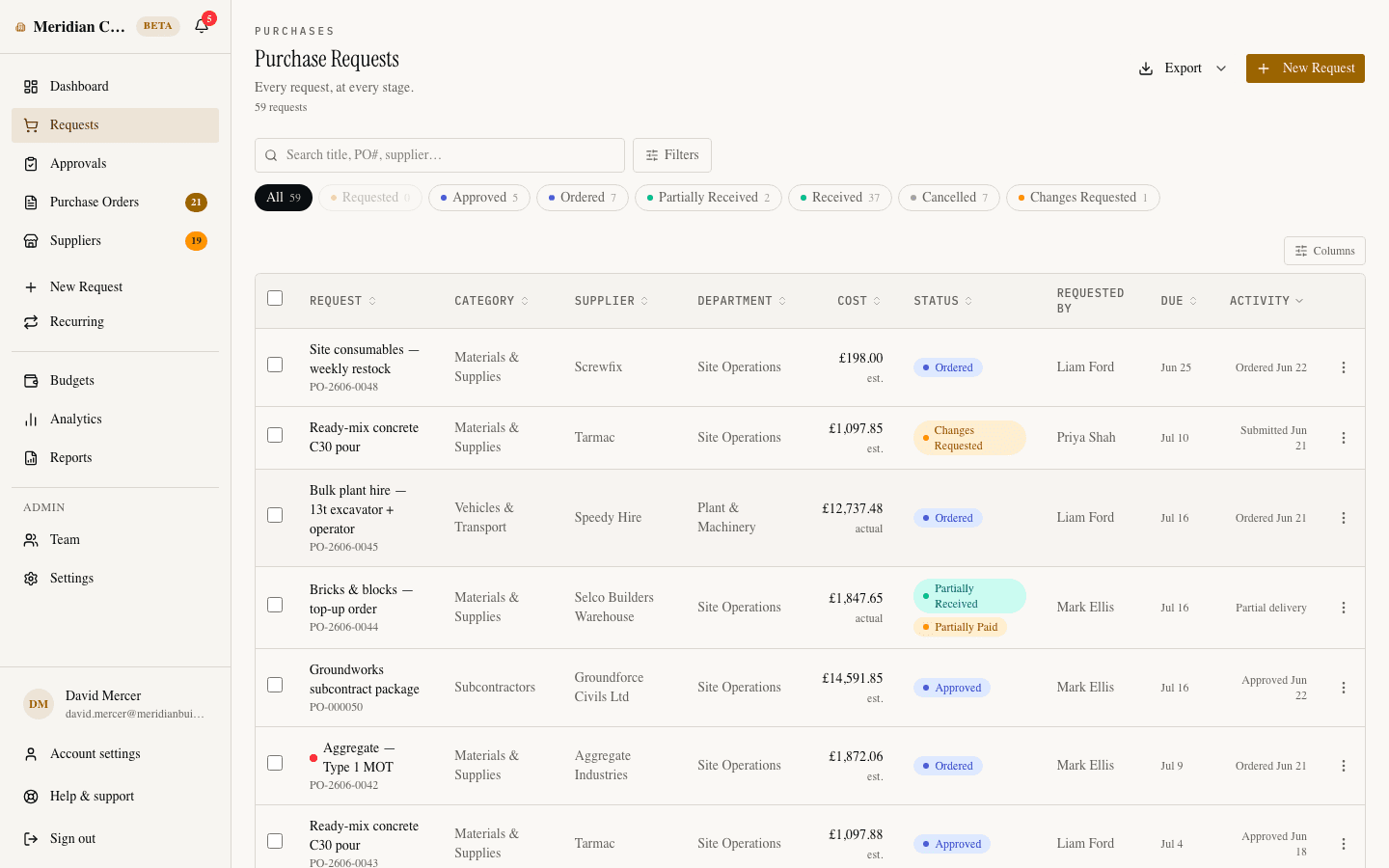
Capabilities
Built for real approval policies
Multi-step chains
Route a request through one approver or several, in order. Each step names a specific person or a role — department head first, then finance.
Routing by amount, category, and department
Give bigger purchases more scrutiny and let routine ones move fast. Chains apply themselves based on the request, so policy is enforced — not remembered.
Auto-approve below a threshold
Purchases under a limit you set are approved instantly — unless the purchase would push a budget over its limit, in which case it goes to a human.
Admin override, on the record
An admin can approve past a stalled chain when it’s genuinely urgent. The override is marked in the audit trail — visible, not hidden.
Reassignment
An approver is out sick or has left? Reassign the step to someone else and keep the request moving — logged like every other action.
A complete audit trail
Who approved, in what order, when, and with what comment. Every request carries its full decision history, from submission to receipt.
Approval workflows are included — not an enterprise tier.
SpendCue is one flat monthly price for your whole company. Multi-step approvals, budget checks, and the audit trail are part of the product, not add-ons. Setup takes minutes — there is no ERP project.
FAQ
Questions about approvals
Can approvals depend on the purchase amount?
Yes. Approval chains match on a minimum and maximum amount, so small purchases can follow a short path while large ones add steps. You can also set an auto-approve threshold below which requests are approved instantly.
Can more than one person approve the same request?
Yes. A chain can have any number of steps, approved in order. Each step is a specific person or a role, so “manager, then finance, then owner” works out of the box.
What happens when an approver is on vacation?
Two outs: a step assigned to a role can be actioned by anyone holding that role, and any pending step can be reassigned to another approver. Admins can also override a stalled chain — the override is recorded in the audit trail.
Can a requester see where their request is stuck?
Yes. Every request shows its approval steps and status, and the requester is notified the moment a decision is made — approved, rejected, or changes requested.
Does SpendCue block purchases that go over budget?
That’s your choice. Each company picks a budget enforcement mode: warn only, block with admin override, or a hard cap nobody can pass — and overrides are logged in the audit trail. Auto-approval never bypasses the budget either: a small purchase that would tip a budget over its limit is routed to a person instead of going through silently.
Put your approval policy on rails
Set up your first approval chain in minutes, not a rollout.
Join the waitlistNo credit card · Set up in minutes