Feature
Purchase requests, from form to approved PO
Purchases usually start as an email, a chat message, or a hallway ask — and end up untraceable. SpendCue gives every purchase one starting point: a request form that takes a minute to fill in, finds its own approvers, and becomes a numbered purchase order the moment it’s approved.
How it works
A minute to write, tracked to delivery
Fill in one clear form
Title, reason, supplier, and line items with quantities and prices — plus a needed-by date and an attached quote if you have one. A review step shows the totals, and any budget warnings, before you submit.
It finds its own approvers
The request routes itself by amount, category, and department — no forwarding, no guessing who signs off. Small purchases under your auto-approve threshold are approved instantly, with a purchase order number to show for it.
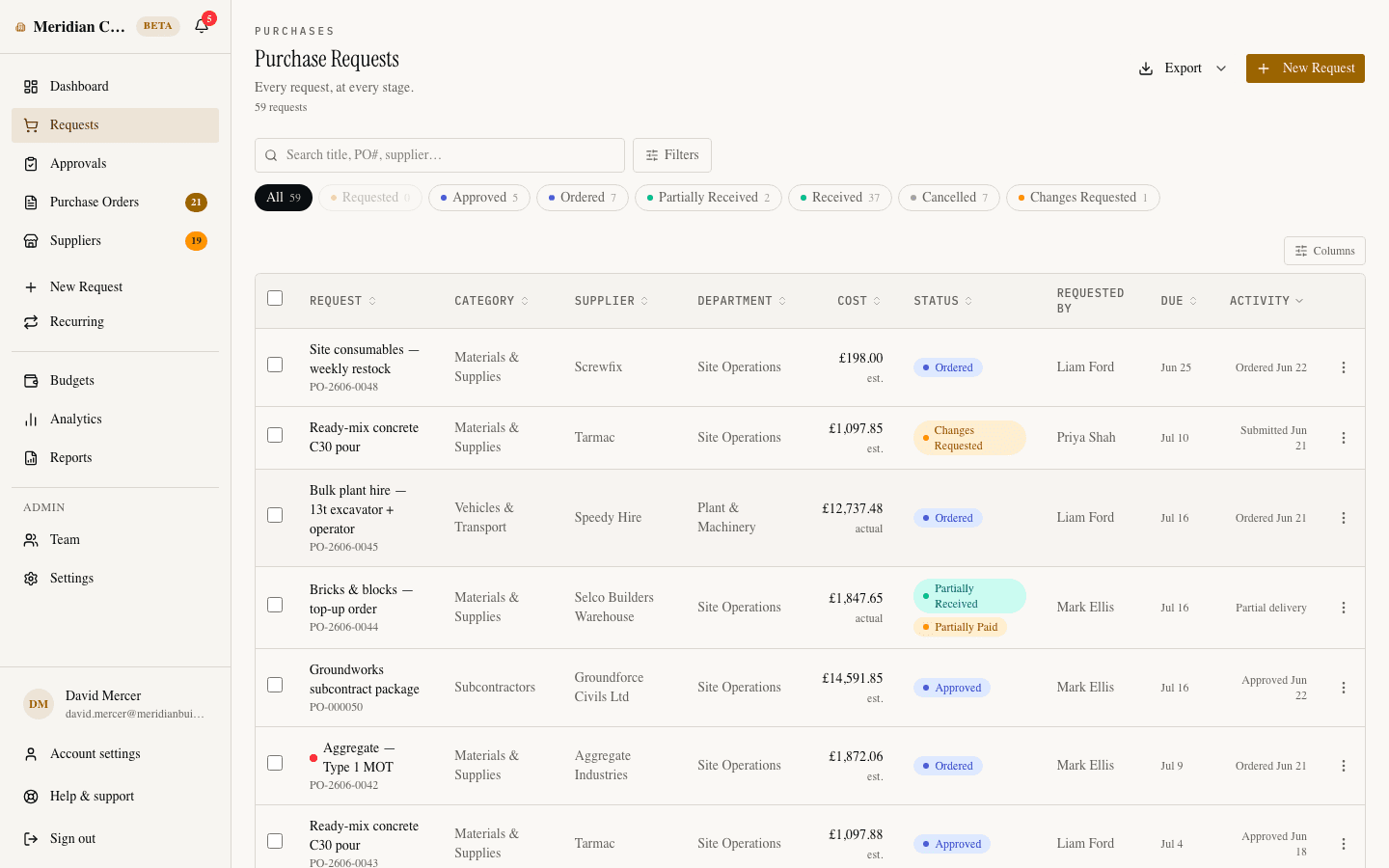
Everyone sees where it stands
A timeline follows the request from submitted to approved, ordered, and received — with the approval chain’s progress, comments, and a full audit trail. Nobody has to ask “any update on my order?”
Approved means order-ready
The moment the last approval lands, the request gets a sequential PO number and a vendor-ready PDF. Emailing it to the supplier places the order — same record, start to finish.
Capabilities
Everything a purchase request needs
Line items, not lump sums
Each request carries proper line items — description, quantity, unit, unit price, and an optional SKU — with the total computed live. Approvers see exactly what’s being bought, not one rounded number.
Your supplier directory, built in
Pick a supplier from the company’s approved directory as you type, or enter an unlisted vendor by name. Admins can add a new supplier without leaving the form.
Budget warnings before you submit
If a request would take its department — or the company — past 80% of the monthly budget, the requester sees it right on the form and again at review. Bad news arrives before the purchase, not after.
Reorder in one click
Any past request can prefill a new one — items, prices, supplier, and codes carried over, ready to adjust and submit. Repeat purchases take seconds, not retyping.
Recurring purchases on a schedule
Turn a request into a weekly or monthly standing order with a configurable lead time. Every occurrence goes through the same approval and budget checks as a hand-written request.
Changes requested, not rejected
An approver who needs an edit sends the request back with a comment instead of killing it. The requester fixes it, resubmits, and the whole exchange stays on the record.
Purchase requests are included — like everything else.
SpendCue is one flat monthly price for your whole company. Requests, approvals, purchase orders, and budgets are all part of the product — not add-on tiers. Setup takes minutes; there is no ERP project.
FAQ
Questions about purchase requests
What can a purchase request include?
Line items with quantities, units, prices, and optional SKUs; a supplier; a needed-by date; a priority; a category and project code; a delivery address; and an attached file — a quote PDF, image, or spreadsheet up to 10 MB. Only the essentials are required.
Do small purchases still need approval?
Only if you want them to. Set an auto-approve threshold and anything at or under it is approved instantly — with a real PO number. The budget guard still applies: a small purchase that would push a budget over its limit is routed to a person instead.
Can a request be edited or cancelled after it’s submitted?
Requests aren’t locked once submitted. The requester can withdraw a request that hasn’t entered approval, and an approver can send one back with a comment instead of rejecting it — the requester edits, resubmits, and every step stays in the audit trail.
How does an approved request become a purchase order?
Automatically. Approval mints a sequential PO number on the same record — no separate PO creation step, no re-keying. From there you get a vendor-ready PDF, and emailing it to the supplier marks the order as placed.
Who can create requests?
Anyone on the team except read-only viewers. Requesters only need to know what they want to buy — routing, approvers, and PO numbering are handled by rules the admins set once.
Give every purchase a clear start
One form, the right approver, and a numbered PO at the end — live from day one, no ERP project.
Join the waitlistNo credit card · Set up in minutes